Code & reviews
This page covers the settings that control how Linear works with your code: enabling GitHub code reviews, pull request preferences, review notifications, code theme and font, signed commits, coding tools, and the git automations that update issues as you start work.
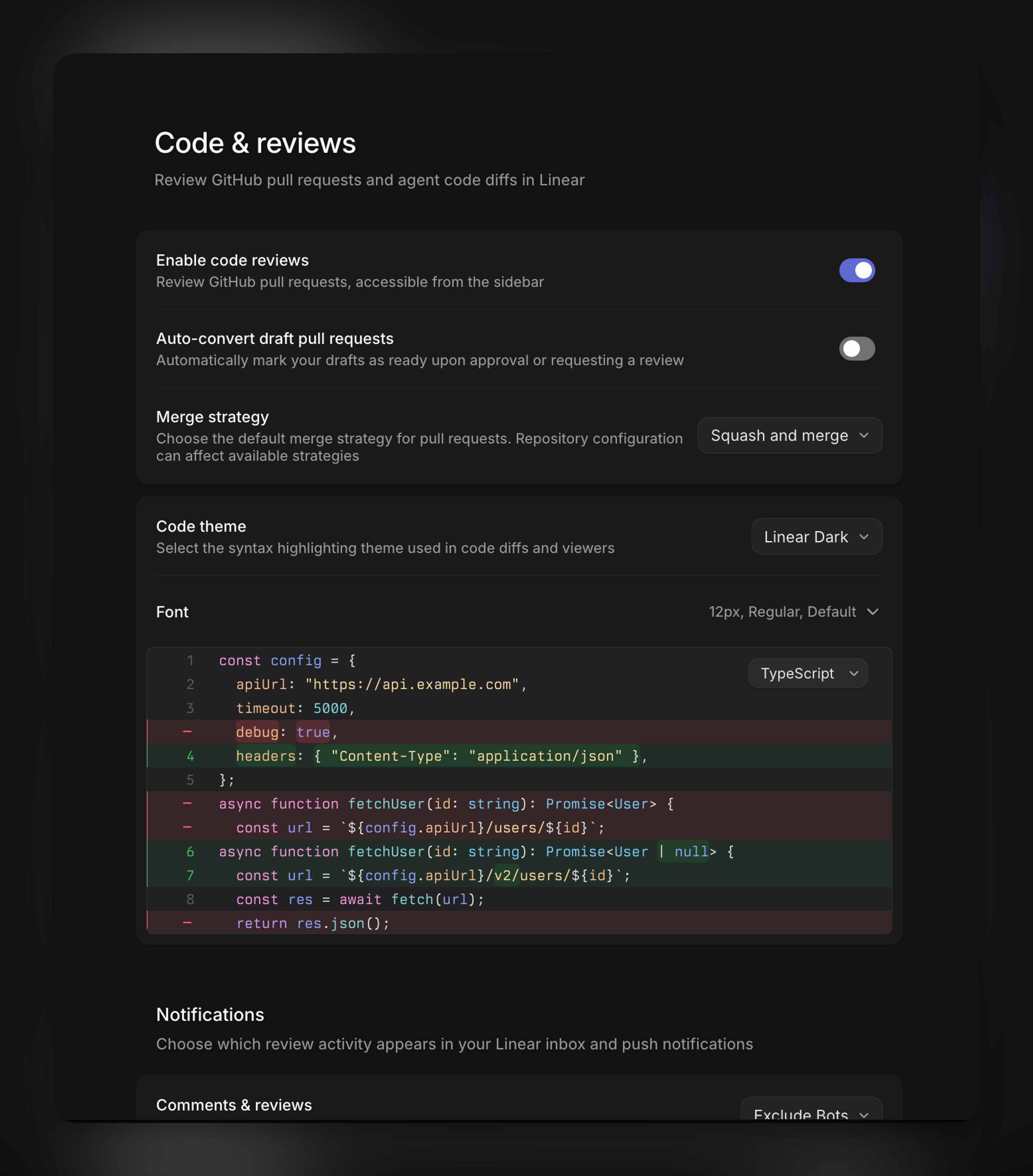
Review GitHub pull requests in Linear and set your preferences for how Linear works with your git workflow. Open Settings → Account → Code & reviews to configure these preferences.
Setup
Enable code reviews
Code reviews require a workspace GitHub integration with repository code access, a connected personal GitHub account, and Reviews enabled in Settings → Account → Code & reviews.
Workspace integration and code-access changes require workspace permissions, but each user manages their own GitHub connection individually.
See the Reviews setup guide for detailed setup instructions.
Pull request preferences
Auto-convert draft pull requests
Automatically mark your draft pull requests as ready when a review is requested or the pull request is approved. It applies only to your own draft pull requests.
Merge strategy
Choose how you merge pull requests from Linear:
- Squash and merge (default)
- Rebase and merge
- Create merge commit
- Choose for each pull request
This is a personal preference. Repository configuration still determines which merge methods are available, so a method disabled in GitHub, or restricted by a merge queue, cannot be used even when it is selected here.
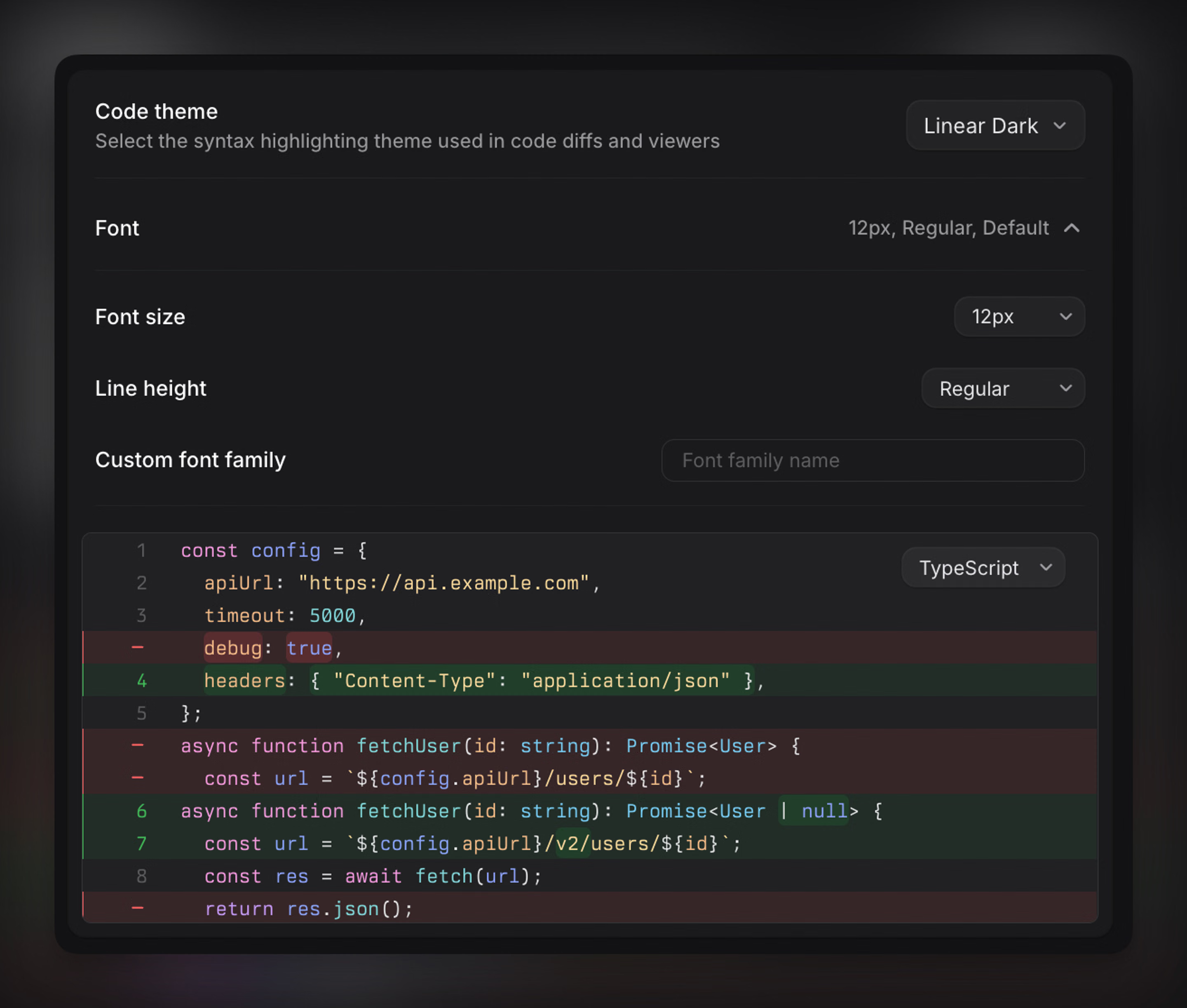
Code theme
Select the syntax highlighting theme and typography used in code diffs and viewers.
Make code easier to read in the way that works best for you. Choose separate syntax themes for light and dark mode, including Linear Colorblind. This lets you tailor code review views to your display mode and accessibility preferences.
Some themes support additional display options. Use theme background applies the theme’s own background colors, while Show diagonal lines adds patterns to additions and removals so changes remain distinguishable without relying on color alone. These options only appear for compatible themes.
Review notifications
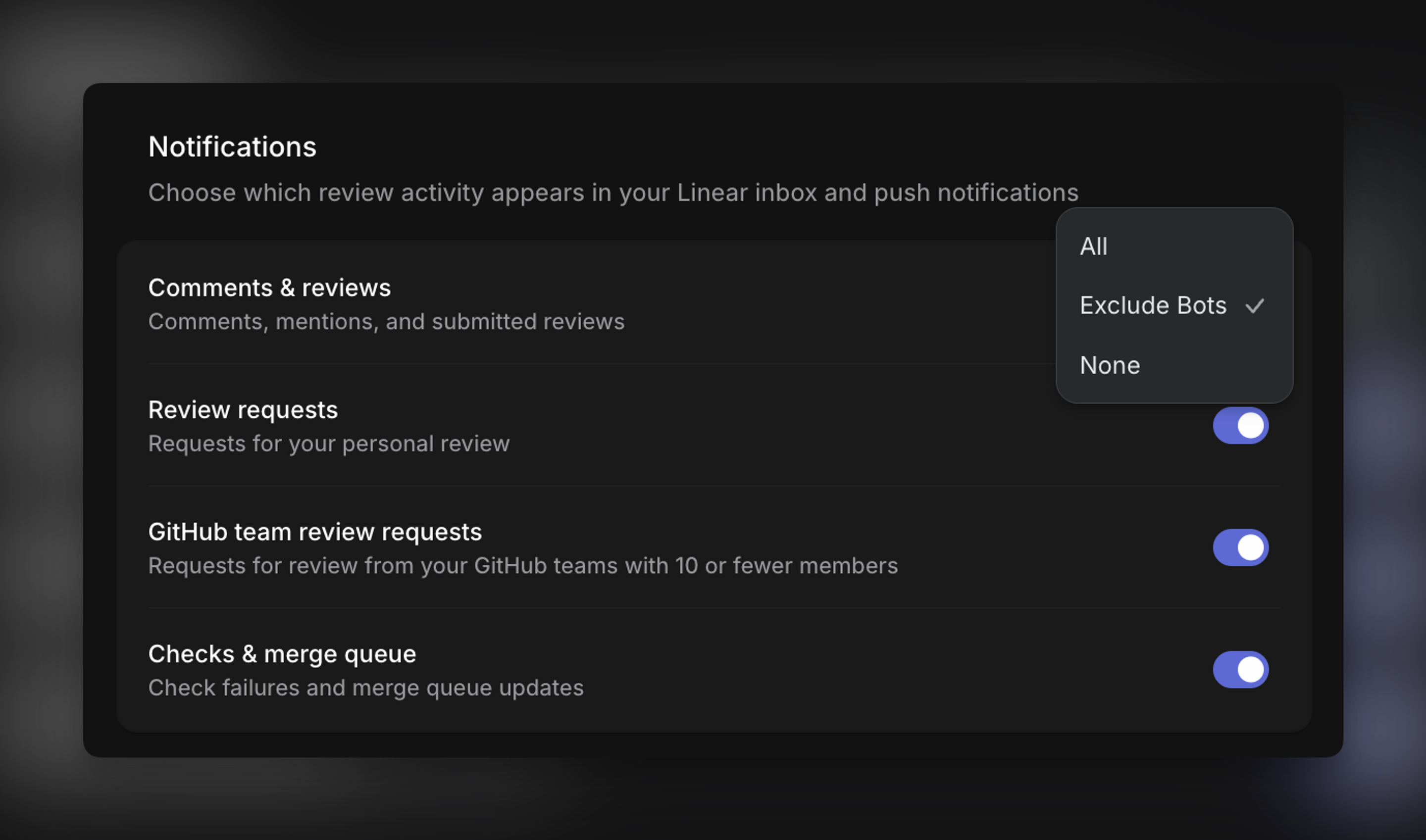
These controls determine which code review events reach your Linear inbox and your push notifications. Each one is set separately.
- Comments & reviews: choose All, Exclude Bots to skip comments and reviews left by bots, or None.
- Review requests: get notified when your review is requested.
- GitHub team review requests: get notified when a review is requested from a GitHub team you belong to. This requires Review requests to be enabled and applies only to GitHub teams with 10 or fewer members.
- Checks & merge queue: get notified when checks fail or when a pull request is removed from the merge queue.
Signed commits
When Require signed commits is enabled, commits made by coding sessions must be signed. This is a workspace-wide setting and applies to commits created by coding sessions, not to every commit pushed to GitHub. Changing it requires workspace admin (or owner if on Enterprise) permissions.
Commit signing key is a personal setting on your own account. Add a signing key so that commits Linear makes on your behalf can be signed. It is relevant when you use coding sessions and code reviews in Linear: without a key, coding sessions cannot commit in a workspace that requires signed commits. Follow the instructions shown in the setting to generate a key and add it to your account.
External tools
Configure coding tools
Choose the coding tools you can open Linear issues in, such as Claude Code, Codex, Cursor, and more. Terminal-based tools require the Linear desktop app on a supported platform, because Linear needs to launch a local terminal. On macOS you can also pick your default terminal application; that selector is macOS only.
You can also add custom links to open issues in any tool that accepts a URL, and custom scripts to run a local command with issue context. See coding tools and open issues with custom scripts for the full workflows.
Git attachment format
Choose how GitHub and GitLab attachments are displayed on issues: Title, or Title+Repository.
Move issue to started status
Linear can move an issue to your team’s first started status when you begin work on it. There are separate settings for copying the git branch name and for opening the issue in a coding tool, which includes Copy as prompt.
In both cases:
- Issues that have already started, and closed issues, are not moved.
- If the issue is unassigned, it may also be assigned to you when your separate self-assignment preference is enabled.
- Hold Option on macOS, or Alt on Windows, while performing the action to skip the status change for that one action.
Open GitHub pull requests in
Choose whether pull requests open in GitHub or Graphite. This control appears once GitHub is connected and is separate from enabling reviews in Linear: it sets your external destination whether or not you review pull requests in Linear.